The first page is the handshake
Open any binder you're proud of and the first page is the one you see every time — and the one you show other people first. It sets the tone for everything behind it, so it's worth a little thought before you just slide in whatever came out of the last pack. There's no single right answer for what the front page should be, but a good first page does one of two jobs: it either shows off the best thing in the collection, or it tells you at a glance what the binder is for. The five approaches below cover both. Pick the one that matches how you actually use the binder, and don't be surprised when it changes over time — first pages evolve as the collection does.

The hero page and the mission statement
The simplest first page idea is the hero page: your single best card, centered in the middle pocket, with its evolution line or a few supporting cards ringing it. One card carries the page and everyone knows exactly where to look. The other classic is the mission-statement page, which says what this binder collects. For a master-set binder, that's the set's headline trio across the top row. For a themed or Pokédex binder, it's a nine-card spread of what's inside — a Charizard binder opens on Charmander, Charmeleon, and Charizard and there's no confusion about the theme. Both approaches make the front page do real work instead of just holding a random nine.
The title page: a printable cover and dividers
You can also open with an actual title page — a printed cover card that names the set or theme, the same way a book has a title page before chapter one. This is the cleanest look for a set binder, and it's where our printables slot in: we make binder cover pages and matching spine labels for 25-plus sets, so you can slide a real cover into pocket one and put dividers between sections. Print one, trim it to card size, sleeve it, and your binder announces itself the moment it's opened. It's the difference between a stack of pages and something that looks finished.
The nostalgia opener and the nine-slot table of contents
Two more ideas worth stealing. The nostalgia opener leads with your childhood cards — the scuffed, played-with ones — whatever condition they're in. It's an honest, warm way to start a binder, and it makes clear the collection is yours and not a spreadsheet. The nine-slot showcase, on the other hand, treats the front page like a table of contents: one representative card from each section of the binder, so the opening page previews the whole thing. Flip past it and you find the section each card came from. Great for big, mixed collections where a single hero card wouldn't tell the story.
Protect the page that gets handled most
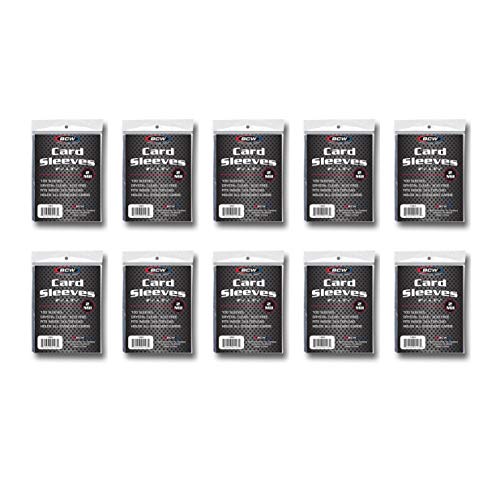
Whatever you put up front, the first page takes the most handling — it's opened, flipped past, and shown off more than any other. So sleeve those cards your best: perfect-fit or penny sleeves under the pocket keeps the corners safe from all that traffic. Use a side-loading page for the opener specifically, so nothing slides out the top when the binder tips. And keep it flexible — the front page is the easiest one to redo, so don't overthink the first version. Build a good-enough opener today and let it grow into the right one as the collection fills in.